Creative Strategy & Brand Management
Creative Strategy
Our team is dedicated to enhancing the perception of the University and encouraging audience engagement through innovative creative strategies that guide communications for our department and others University-wide. We strategically position the University to stand out in a crowded market, identifying and highlighting the unique qualities that set UConn apart from its peers. We define and understand our target audiences, tailoring our messages and delivery methods to their needs and expectations. We develop core messages that communicate our strengths, achievements, and values, ensuring departments and stakeholders share the same messaging to maintain a unified communication approach.
Awards
UConn Magazine won a 2026 CASE Circle of Excellence Awards, Grand Gold in the category Magazines: Single Topic/Special Editions for the 24 Hours at the University of Connecticut issue.
UConn Magazine won a 2025 Best of CASE District I in the categories Writing: News/Feature, 1000+ Words and Writing: Research, Medicine, and Science News for the story Who Tells Our (Pandemic) Story?
UConn Magazine won a 2023 Best of CASE District I in the category Writing: News/Feature, 1000+ Words for the story Giants Among Us.
Brand Management
We are committed to effective brand management, focusing on three key areas: brand identity, brand experience, and stakeholder engagement. Our unit communicates the University’s mission and values, creates a cohesive visual identity, and establishes a distinct brand voice to ensure consistency across all channels. We engage internal stakeholders, including faculty, staff, students, and alumni, to encourage understanding and embodiment of the University’s brand values.
Institutional Branding
Beyond maintaining the integrity of the University’s visual identity system, our work helps give meaning to the UConn brand. Whether we’re creating signature institutional collateral, such as the University’s website, or posters and postcards to promote department-level events, our marketing professionals put the same careful thought into the concept, message, wording, photography, and design, ensuring that every piece tells the UConn story.

Undergraduate Recruitment
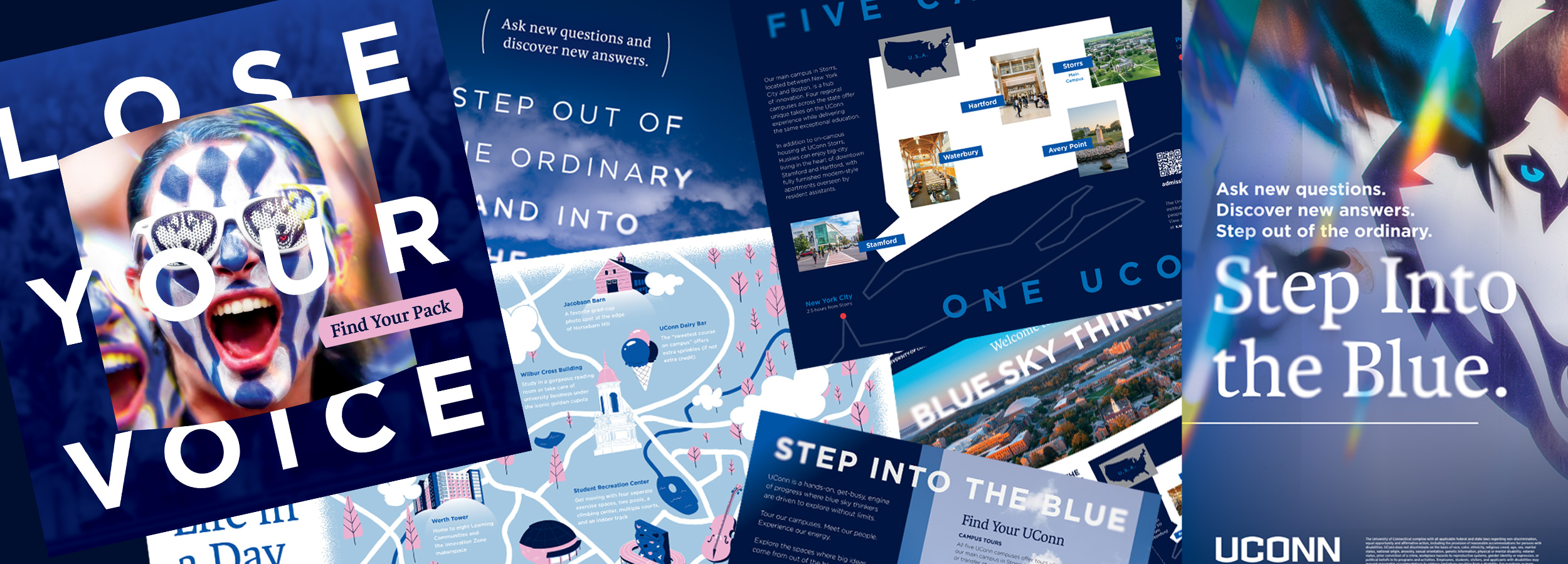
University Communications supports the enrollment management goals of the University by producing tools that inform and attract top students during each step of the admissions process. High school students receive a barrage of recruitment materials. Our marketing team makes sure UConn’s materials stand out among the rest, staying current with fresh images, design, and information; commanding attention; and encouraging students to learn more, apply, and accept an offer of admission.
UConn Magazine
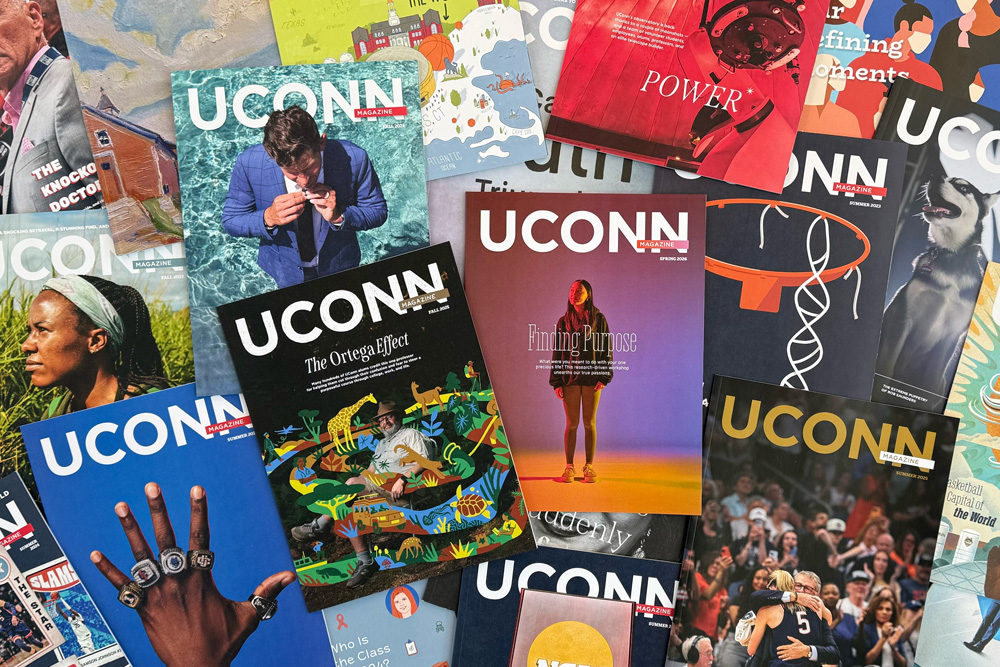
The University’s triannual alumni publication, UConn Magazine, reaches 250,000 alumni and friends of the University. The magazine stokes pride in readers through engaging, in-depth stories about alumni, faculty, and students and keeps them informed about major University initiatives and cutting-edge research innovations.
University Advertising
University Communications works to ensure that all University advertising reflects the quality, reputation, and values that define our institution. We partner with units to develop advertising strategies, guide media planning, and create impactful creative assets that advance institutional goals, while ensuring strategic alignment and standards are met.

Web Design & Development
Our team excels in web design and development, ensuring that UConn’s flagship website, uconn.edu, as well as the regional campus websites, UConn Today and Magazine sites, and brand campaign website, are all visually appealing, user-friendly, and highly functional. We leverage the latest technologies and best practices to create responsive and accessible websites that effectively communicate the University’s brand and mission. Our comprehensive approach includes everything from initial concept and design to development, testing, and ongoing maintenance, ensuring that each site meets the highest standards of quality and performance.
Web Standards & Oversight
UConn’s websites are among the University’s most important communications and marketing channels, serving as a primary destination for prospective students, current students, faculty, staff, alumni, and external audiences. Our team provides strategic oversight of the University’s web presence to ensure it reflects the strength and consistency of the UConn brand, delivers a high-quality user experience, and meets evolving accessibility, usability, and digital best practices. Through governance, guidance, and collaboration with campus partners, we help create a cohesive and effective online presence that supports the University’s mission and goals.
School & College Support
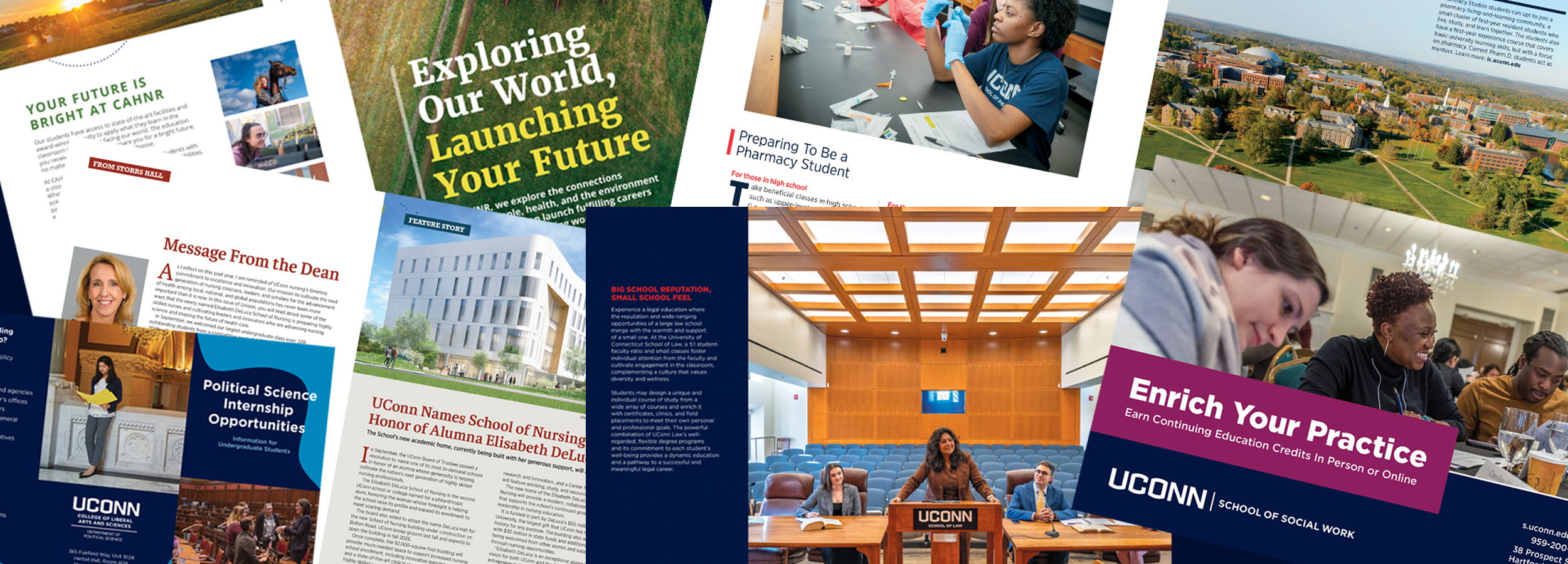
We collaborate closely with the communicators embedded within each UConn school and college to support their marketing plans, assisting with design, copy, photography, and more, ensuring that all materials are visually engaging and effectively convey the intended message. Our team is committed to offering ongoing support and resources, helping each school and college enhance its communication strategies and achieve their marketing objectives.
Training & Consultation
Our office provides helpful training and consultation services to units across campus. We offer expert advice on marketing, web strategy and structure, advertising, and more, ensuring that each unit can effectively reach its target audiences and achieve its goals. Additionally, we maintain and enforce brand and web standards and conduct brand training sessions to help staff understand and implement the University’s brand guidelines, ensuring consistency and cohesion in all communications.